To search
Softonic Rating:
Excellent910
License:
Free
Added:
January 7, 2008
Publisher:
Website
File size:
25.3 MB
Downloads:
366
Elena Santos

“The easiest way to create and publish podcasts”

by Elena Santos

I've always had curiosity about podcasts, but never tried to create one of my own until today. And I must say it's been a great experience!

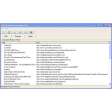
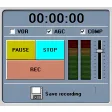
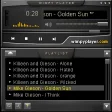
This is probably thanks to Wildvoice Podcast Studio, a great application that helps you take your first steps into the podcast universe. Once you read the accompanying guide and familiarize yourself with the program you'll be able to handle every stage in the process, from recording your voice to publishing your podcast. What's more, if you don't have any web space where to store it, you can create an account in the Wildvoice site and publish your podcast right there for free.

Of course, podcasts are not only about talking. The program enables you to easily add music, with support for the most popular formats. You can insert short music clips or else use it as background soundtrack by adjusting the volume level. Wildvoice Podcast Studio includes also a great variety of sound effects to add to your recording, achieving a higher degree of realism or producing a hilarious mixture of sounds. The only problem I found here was that some sound effects are much louder than others, which affects the quality of the recording.

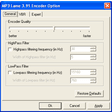
The podcast can be created as a series of short audio clips and that makes the job even easier to manage. Once you're happy with the result – which you can check at any time with the Preview function – you can save it as an MP3.


Although it may look complicated at the beginning, Wildvoice Podcast Studio is an excellent tool to get you started with podcasts.

Languages:

English

OS requirements for Wildvoice Podcast Studio:

  • OS: WinXP

Minimum requirements:

Pros
  • Includes everything you need to create podcasts
  • Supports the most popular formats
  • Enables you to publish your podcast to the program's official site
Cons
  • Some sound effects are louder than others
  • Read the program's documentation to get the most of it
Did you like this review?
6 of 6 users liked it (100%)

Featured program

Softonic gives special recognition to software of exceptionally high quality. More information

From the publisher of Wildvoice Podcast Studio

With Wildvoice Podcast Studio and a simple microphone, you'll be able to record your show in clips, mixing in music and sound effects as you talk. The program enables you to edit your clips, cutting out the parts you don’t like and merging your clips together. Once done, publish the finished show on WildVoice.com (right from WildVoice Studio!) or any other site that supports audio files.

More Wildvoice Podcast Studio screenshots

Posts about Wildvoice Podcast Studio in our blog

Wildvoice Podcast Studio options

Wildvoice Podcast Studio Options
Softonic Rating:Excellent
8/10

User Rating

2 ratings
Usability
  • Currently 7/10.
Stability
  • Currently 8/10.
Installation
  • Currently 9/10.
Functionality
  • Currently 9/10.
Appearance
  • Currently 8/10.

Download stats

Related

Related searches

Are you the developer of Wildvoice Podcast Studio?

If your program has received a Softonic rating, feel free to use the following award badge on your site or as part of any other promotional feature you may be putting together.

Wildvoice Podcast Studio Softonic Rating

Click on the above text field to copy the necessary HTML to your clipboard and then paste it to your website. It will display your program's Softonic Rating and will link to your program page.

Any queries? Contact us if you want more info.

Close